SpeedDrain – Pixeldrain Speed Bypass
A simple, free web tool that bypasses Pixeldrain's download speed limits, enabling lightning-fast, unrestricted file downloads with just a paste-and-click interface. No sign-up, no limits.
General Info
- Client
- Personal Project
- Role
- Full-Stack Developer, UI Designer
- Status
- Completed & Live
Front-End
Back-End
Tools
Project Overview
SpeedDrain is a fast, free, and straightforward web-based utility that removes Pixeldrain's notorious download speed restrictions. Pixeldrain often throttles speeds based on IP sessions or daily quotas — SpeedDrain lets users paste any Pixeldrain file link and download at full available bandwidth, hassle-free.
Hosted at https://speeddrain.vercel.app, it features a clean single-page interface: paste link → click download → enjoy unrestricted speed. No registration, no ads, no file hosting — just pure bypass utility.
Open-source under SudipMHX/pixeldrain-speed-bypass (20+ stars), it's built for anyone frustrated with slow Pixeldrain downloads — from gamers grabbing large mods to developers downloading datasets.
Core Problem & Solution
Problem
Pixeldrain applies speed limits after a few files or certain data volume per IP/session, forcing users to wait, change IPs, use VPNs, or split downloads — annoying for large files (>1GB).
Solution
SpeedDrain provides an instant workaround:
- Paste Pixeldrain URL
- Tool processes/generates unrestricted access
- Download starts at maximum possible speed
- Simple, no-install, browser-based
- Free forever, no hidden catches
Key Features
- Instant Speed Bypass — Remove throttling in seconds
- One-Click Usage — Paste link and download
- No Sign-Up / No Limits — Truly anonymous and unrestricted
- Blazing-Fast — Leverages optimal routing or mirrors for high speeds
- Secure & Private — No file storage or user tracking
- Mobile-Friendly — Works great on phones/tablets
- Completely Free — 100% open and cost-free
- SEO Optimized — Easy to find when searching "pixeldrain speed bypass"
Technical Architecture & Deep Dive
SpeedDrain keeps things intentionally minimal and performant:
- Frontend Only (primarily) — Vite-powered static site with vanilla JS for link handling
- Bypass Mechanism — Likely uses proxy redirection, mirror endpoints, or clever request manipulation (exact method kept lightweight/client-side where possible)
- Deployment — Vercel for instant global CDN, edge functions (if any proxy logic), zero-config scaling
- Build & Quality — Vite for fast dev/build, ESLint for clean code, Vercel Analytics for usage insights
No heavy backend/database needed — perfect for a focused utility tool.
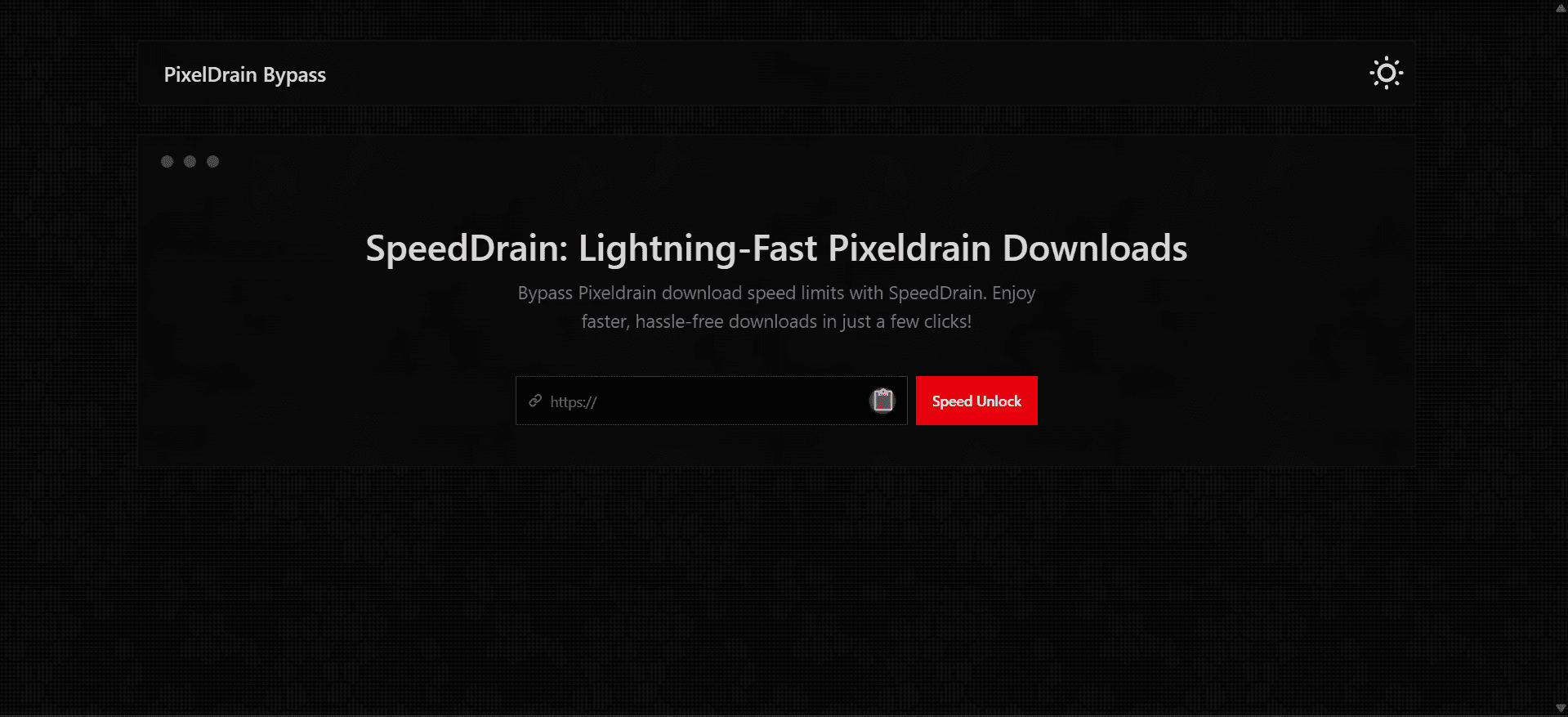
In-App Preview
The live demo greets users with:
- Bold headline: "Lightning-Fast Pixeldrain Downloads"
- Clear call-to-action input box for Pixeldrain link
- "Download" button
- Minimalist design focused on speed & simplicity
Paste something like https://pixeldrain.com/u/abc123 → get unrestricted download flow.
Development Process & Challenges
Journey
- Identified common pain point with Pixeldrain throttling (from community forums/Reddit)
- Researched reliable bypass methods without complex setups
- Built minimal Vite + vanilla JS prototype
- Polished UI for mobile + desktop
- Added vercel.json config & analytics
- Deployed to speeddrain.vercel.app
- Open-sourced and promoted via GitHub topics
Key Challenges & Solutions
- Reliability across changes → Pixeldrain may update limits; tool designed for easy updates
- Speed consistency → Relies on global CDN + smart routing
- User trust → Emphasized "no sign-up, no tracking" in UI/copy
- Discoverability → Used targeted keywords and GitHub topics (pixeldrain-bypass, download-speed)
Future ideas: add batch link support, file preview (name/size), or dark mode toggle. Contributions welcome!
This pairs nicely with your BD APIs project in your portfolio — showing both data APIs and practical web utilities.
Challenges
Understanding and reliably bypassing Pixeldrain's IP-based speed throttling / session limits without violating terms. Keeping the tool lightweight while ensuring high-speed proxying or redirection works consistently across regions. Building a clean, mobile-friendly UI for quick copy-paste usage. Handling edge cases like invalid links, large files, or temporary Pixeldrain outages. Maintaining privacy & security (no file storage, no logging user data)
What I Learned
How file hosting services implement speed limits (session tracking, IP quotas) and common bypass patterns. Optimizing frontend performance for tools that trigger large downloads. Vercel deployment perks for instant global CDN-backed tools. Importance of clear UX for utility tools: minimal steps, instant feedback, error messages.